Hide something, sign it, let strangers find it
Inside a geocache that asks for proof there is a printed QR code, and it is a private key. Find the box, scan it, and Amethyst uses that key exactly once to sign a statement that you were at this cache, embeds the proof in your log and throws the key away — never saved, never logged, never leaves the screen.
A cache is a public listing (kind 37516): a geohash location, a name, a difficulty/terrain line and an optional hint. Anyone can read it, anyone can log it. New in v1.17.0, identical on Play and F-Droid.
The hub is Drawer → Feeds → Geocaches: one screen, five tabs — Nearby, Map, Hunts, Finds, Mine. The drawer's Cache hunts row opens the same screen on Hunts; both rows can be pinned to the bottom bar. Tap the tabs; swiping between them is off. The spinner under the top bar defaults to Around Me and drives Nearby, Map and Hunts; Finds and Mine are always yours — the finds you logged and the caches you hid.
Finding a cache
Nearby lists every listing the spinner admits, newest first, archived ones included. Tap Use my location in its header and the list re-sorts by distance from your geohash cell, for this visit only; if coarse location was denied, the button goes away and the order stays newest-first.
Map draws the same feed on OpenStreetMap tiles, pins coloured by state. Tap a pin for a peek sheet with Open, and long-press empty map to hide a cache at that spot.
The cache card renders wherever notes do: a hero, name, distance, state chips, and a spec line like Traditional · Regular · D1 · T1 — D is difficulty, T is terrain, each 1 to 5. The distance uses your last cached fix; a card never switches the GPS on, so Around Me or Use my location has to have run first.
Tap the card for the detail screen: owner, description, hint, the Key Quest mission if any, Navigate (opens your maps app), photos, and Logs · N — finds and comments newest first, each badged, verified finds with a green rule.
Hints stay hidden until tapped ("Stuck? Tap to reveal the hint"). Hints are ROT13-scrambled by default when hidden, so the first tap shows whichever reading looks more like English, the second shows the other rotation, the third hides it again. The text is public on relays either way.
Logging a find
I found it opens the Log a find composer: Your log, a Your Key Quest answer field when the cache has a mission, Add a photo, a Proof of presence section, and the notice "Your own location is not attached to this log." Post lights up once you have a message, a photo or a verified proof; there is no draft, closing discards.
On a cache that requires proof, the section shows Scan the code in the cache — the same camera as every scanner in Amethyst (post nine, "There are several apps inside your app"), with tap to focus, pinch zoom, torch, picture and paste. It reads the printed secret, signs a kind-7517 verification naming you and this cache with a throwaway signer, checks it against the listing and embeds it in your find. You see 🔐 Verified — you were at the cache, ⚠️ That is not a verification code. or ⚠️ That code belongs to a different cache. The general scanner opens nothing for a cache's secret; only this screen accepts it.
Didn't find it, Add a note and Report needs maintenance share one sheet with a text field and Post; each publishes a kind-1111 comment on the listing, with no photo and no proof.
First to find goes to the earliest verified log; an unverified log never claims. Once someone else holds it, the detail replaces the find buttons with "First to find claimed by ", while cards keep the 🥇 chip until the owner locks the winner in.
Hiding a cache
The + FAB (Hide a cache) on Nearby, Map and Mine opens a four-part composer: Where (Pick the spot, under a red warning that this publishes a public location accurate to about 5 metres and cannot be recalled), What (name, description, type, size, Difficulty and Terrain stars, photos), Extras (the hint with Scramble the hint (ROT13) on by default, a Key Quest mission, modifiers) and Proof (Require proof of presence).
Turn that switch on and Amethyst mints a keypair: the public half goes into the listing, the private half appears as a QR right there — "Print this and put it in the cache. Amethyst does not store it — if you lose it, finders can no longer prove they were there." Switching off discards it, leaving the screen loses it, and editing later never shows it again. Publish needs a name and a geohash of at least 3 characters.
On your own cache the ⋮ menu offers Edit this cache, Archive this cache (permanent) and, on a first-to-find cache, Lock in the first finder. You cannot log a find on your own cache.
Hunts
A hunt (kind 37517) is an ordered list of caches. The Hunts tab shows each with "N of M found" from your own Finds; its screen numbers the stops, ✓ on the ones you logged, and Start the hunt opens the hub's Map tab — the whole map, not just this hunt.
There is no FAB on Hunts. The composer is reached from a cache: detail → Add to a hunt → New hunt…; that sheet also lists the hunts you own, and tapping one appends the cache. Publish needs a title and at least one cache, and caches join only by arriving from their detail, so build a hunt cache by cache.
Ways in
Tapping a cache or hunt card in any feed opens the detail. nostr:naddr links do the same — the detail's top-bar send icon shares one — and the general QR scanner opens a scanned naddr. The hub's search icon starts a search already scoped to caches, and a geohash feed shows an "N caches here" pill that opens the Map tab. To see who found your cache, open it from Mine and read the log thread.
Location permission
Only coarse location is declared. The prompt comes from the Around Me label in the hub spinner and from Pick the spot in the composer; Nearby's Use my location and the cards never ask. Denied, everything works except distances and distance sort. The GPS runs only while Nearby is distance-sorted or the picker is open.
The whole thing in one breath
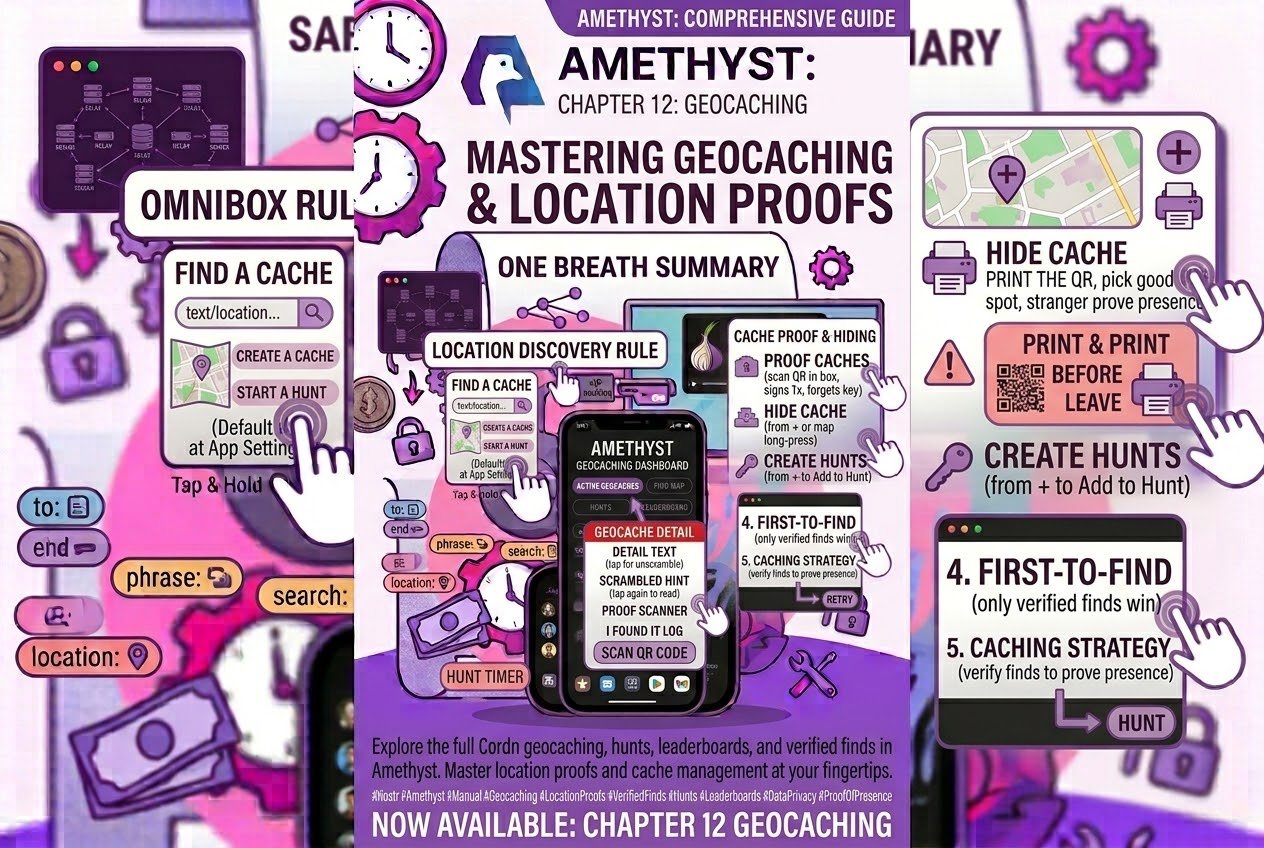
Drawer → Feeds → Geocaches, five tabs. Tap a card for the detail, tap the hint to read it, tap again if it still looks scrambled. I found it logs a find; on a proof cache, scan the code in the box and it signs for you once, then forgets the key. Hide a cache from + or a long-press on the map; the proof QR appears once, so print it before you leave. Hunts start from a cache's Add to a hunt. Only verified finds win first-to-find.
Print the QR, pick a good spot, and let a stranger prove they were there.
Twelve posts later
That's the series. Twelve posts, several hundred features, one app most of us thought we already knew:
- Your phone can do more than you think — gestures
- 220 things behind three dots — the ⋮ menu
- Your photos, at the size you choose — media
- The post you wrote and the post that shipped — composing
- Zaps have more buttons than you think — money
- Amethyst has a query language — feeds, search and discovery
- What's private, and how to keep it that way — privacy and safety
- Where your posts actually go — relays and the outbox
- There are several apps inside your app — the far corners
- Four ways to talk in private — group chat
- A browser that waits for Tor — the in-app browser
- Hide something, sign it, let strangers find it — geocaching
The Start here post links all twelve and is republished with each release, so that's the one to bookmark.
The pattern held all the way through: Amethyst is an enormous app, and most of what's in it is one gesture or one drawer row away. A long-press here, a default worth checking there, a screen reached from a note rather than a menu, a whole chess client waiting on a build flag. It's built by people who keep shipping the next thing, and this series is the signage.
So the useful habit, with all twelve in hand: assume there's more. Press things for slightly too long. When a screen is empty, ask whether it's the network or the filter. When something is on by default, go and look at what it's on by default doing. You'll find things this series didn't cover — twelve posts can't hold everything.
And when you do, tell somebody. That's the whole trick with #amethyst. The features are all there. The documentation is us.